
Why Do Most iOS App Deployments Fail and Take Hours Instead of Minutes?
Traditional iOS app deployment fails due to certificate complexity, manual configuration errors, and Apple's strict submission requirements. Manual deployment processes consistently fail because they require developers to manage provisioning profiles, signing certificates, bundle identifiers, and Apple Developer account integration simultaneously.
OnSpace AI solves this by providing automated publishing that eliminates human error through intelligent certificate management, automated build processes, and direct App Store submission. OnSpace AI's one-click publishing compiles your code, manages Apple certificates, and submits directly to App Store Connect in under 2 minutes.
What Are the Four Main Problems with Manual iOS App Publishing?
Manual iOS app deployment fails due to certificate complexity, time waste, deployment anxiety, and opportunity cost. These four core issues consistently delay releases and frustrate developers worldwide:
Certificate Hell: Provisioning profiles, signing certificates, and bundle identifiers that break without warning
Time Drain: What should take minutes often takes hours or entire days to get right
Deployment Anxiety: Every update is a roll of the dice - will it build? Will it submit?
Opportunity Cost: Time spent on deployment is time not spent building features users want
What Are the Six Essential Features of OnSpace AI's Automated iOS Publishing?
OnSpace AI's automated iOS publishing provides one-click deployment, sub-2-minute builds, local credential storage, real-time tracking, auto-configuration, and direct Apple integration. These six core capabilities eliminate manual deployment challenges:
One-Click Publishing
Click once, get coffee, come back to a live app. No configuration, no certificates, no stress. It just works.
Under 2 Minutes
From click to App Store submission in under 2 minutes. No more waiting around - ship fast, iterate faster.
Your Data Stays Yours
Apple credentials stored locally on your device only. We never see or store your sensitive information.
Live Progress Tracking
Watch your app build and submit in real-time. No more wondering "is it done yet?" - you'll know exactly where things stand.
Smart Auto-Config
Bundle IDs, app configs, and certificates generated automatically. Everything optimized for App Store approval.
Direct Apple Integration
Native connection to App Store Connect. Your app follows all current guidelines and gets submitted properly every time.
How Do You Publish iOS Apps Through OnSpace AI's 8 Automated Steps?
OnSpace AI's automated iOS publishing transforms your project into a live App Store listing through eight sequential steps that take you from code to customers in minutes. Here's the complete step-by-step process using OnSpace AI:
Watch the Complete Process in Action
This 3-minute video demonstrates the entire iOS publishing process from start to finish using OnSpace AI's automated system.
Navigate to Your Project
Go to your project page when your app is ready. Click "Publish" to make your project accessible. That's literally it for this step.
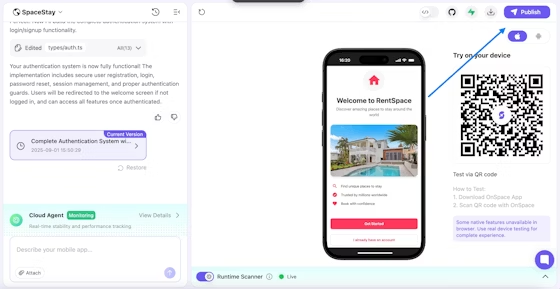
Project Dashboard → Click "Publish"
Start the Publishing Process
Click "Publish to App Store" button. We also support Google Play if you want to go multi-platform later.
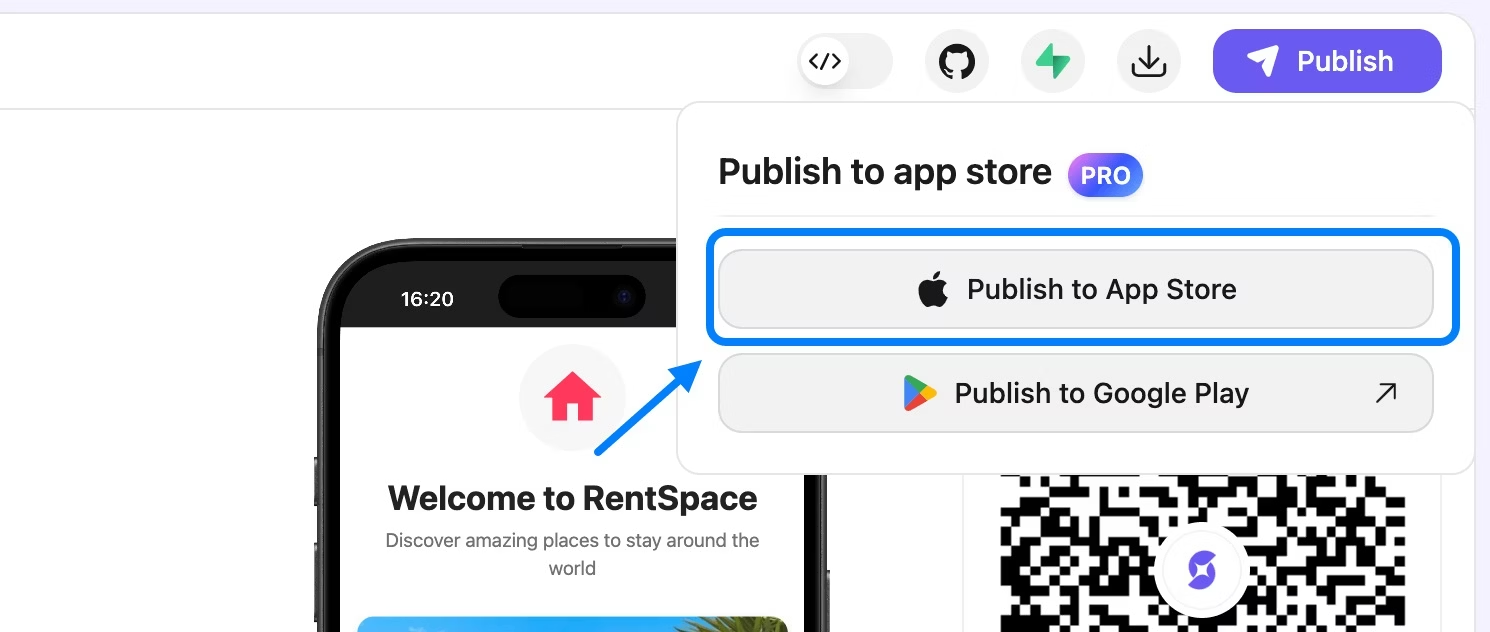
Publishing Options → "Publish to App Store"
Create New Submission
For first-time publishers, click "New Submission". The Store Submissions dashboard keeps track of all your apps once you have multiple projects going.
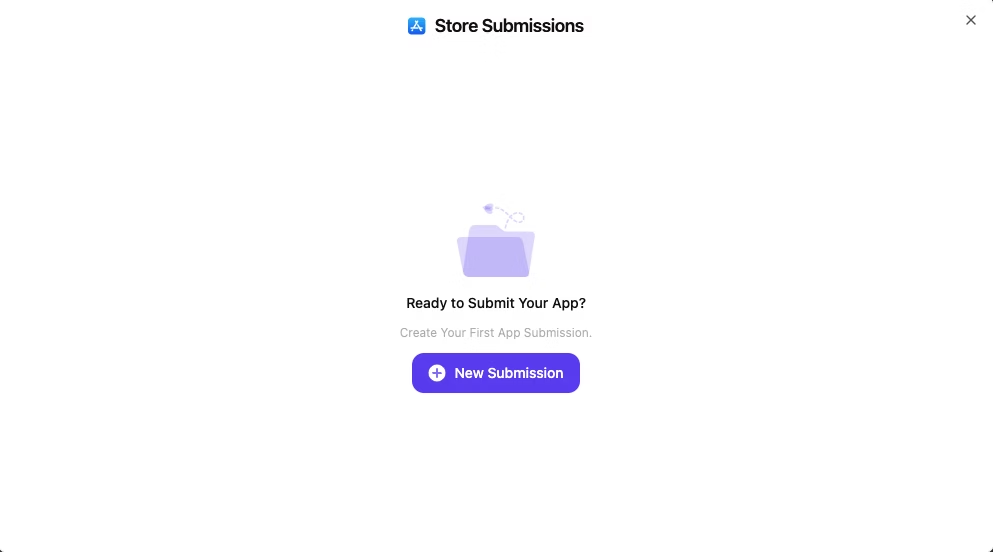
Store Submissions → "New Submission"
Complete App Store Information - Developer Credentials
Enter your Apple Developer email and password once. We store them locally on your device - they never touch our servers, ever.
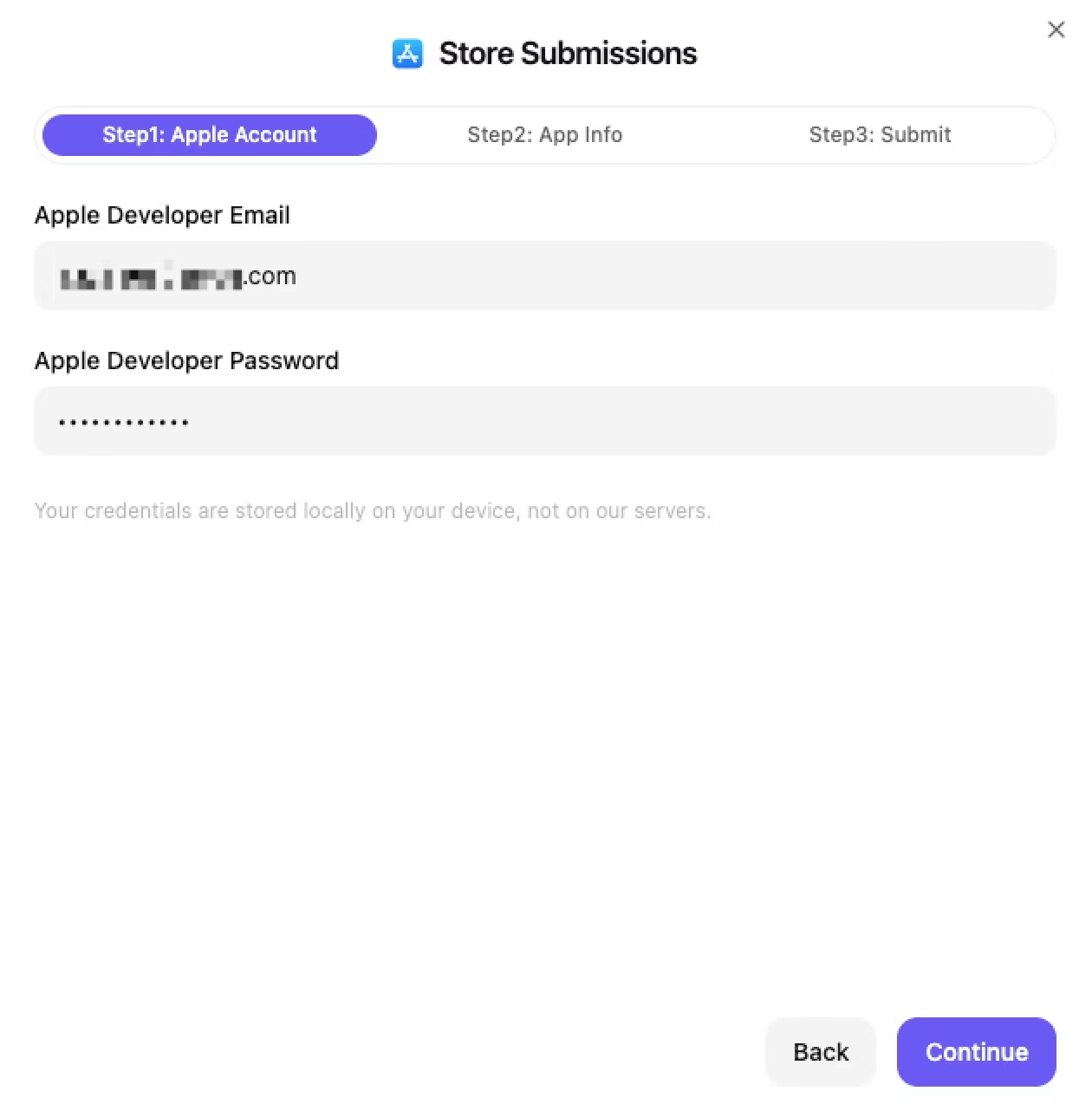
What We Need:
- • Apple Developer Email
- • Account Password
- • 2FA Access (when prompted)
Privacy Promise:
- • Stored only on your device
- • Never sent to our servers
- • Encrypted authentication only
App Details Made Simple
Upload your App Icon (must be .png format), enter your App Name, specify App Version, and provide iOS Bundle Identifier. We automatically generate a unique bundle identifier for your app based on your project name and developer account.
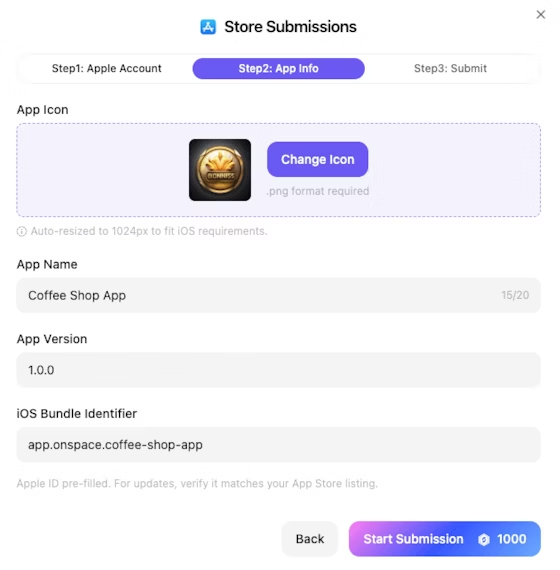
App Icon
PNG, 1024x1024
App Name
Display Title
Version
1.0.0 Format
Bundle ID
Auto-Generated
Payment & Building
Pay 1000 credits for the publishing service. Building in Progress - typically completes in less than 2 minutes. Watch the magic happen in real-time.
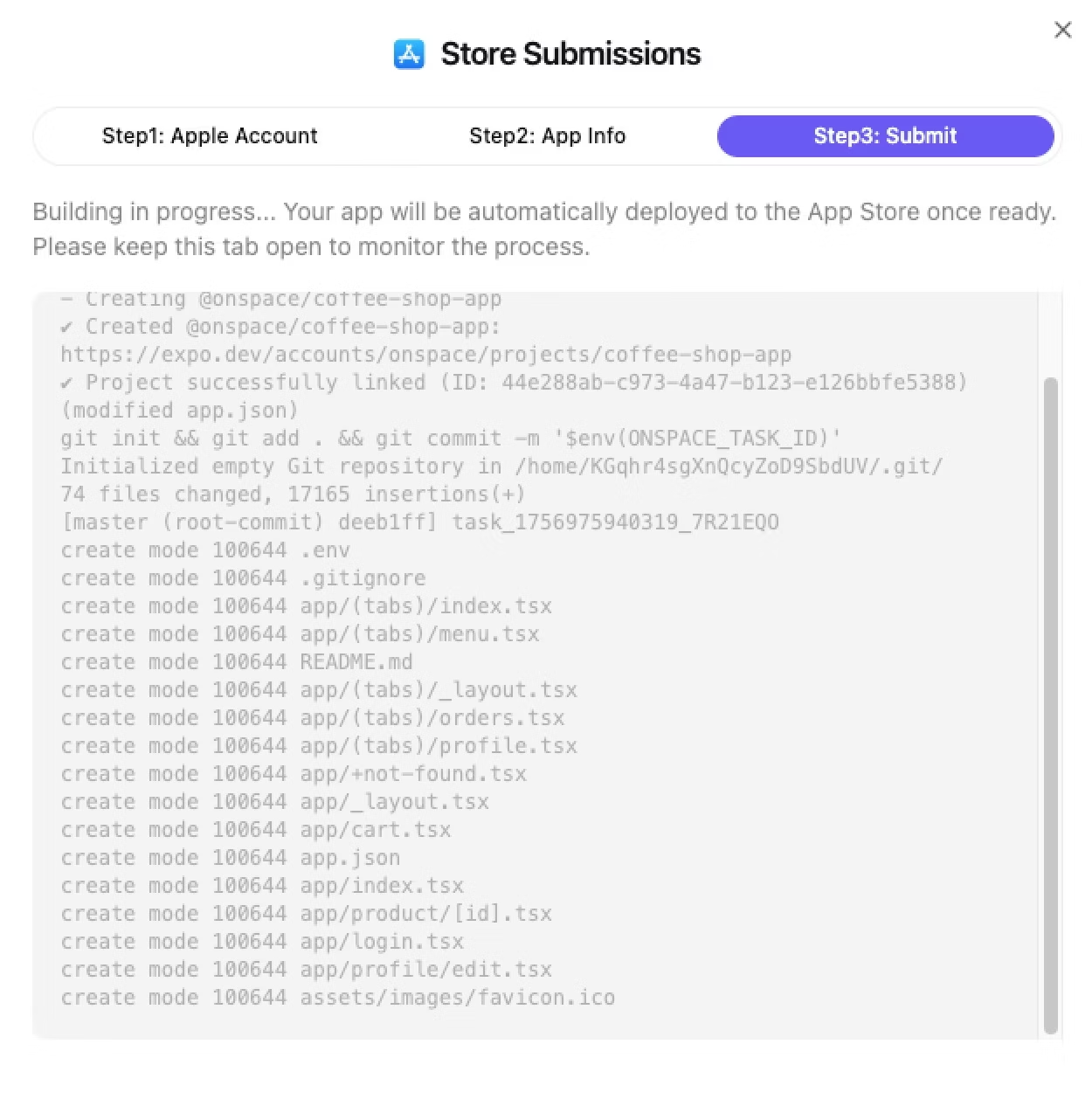
Live Build Console
Real-time updatesApple Two-Factor Authentication
An authentication dialog appears automatically. Check your Apple device for a 6-digit verification code, enter it in the provided input fields, and click "Submit" to continue. Takes 30 seconds max.
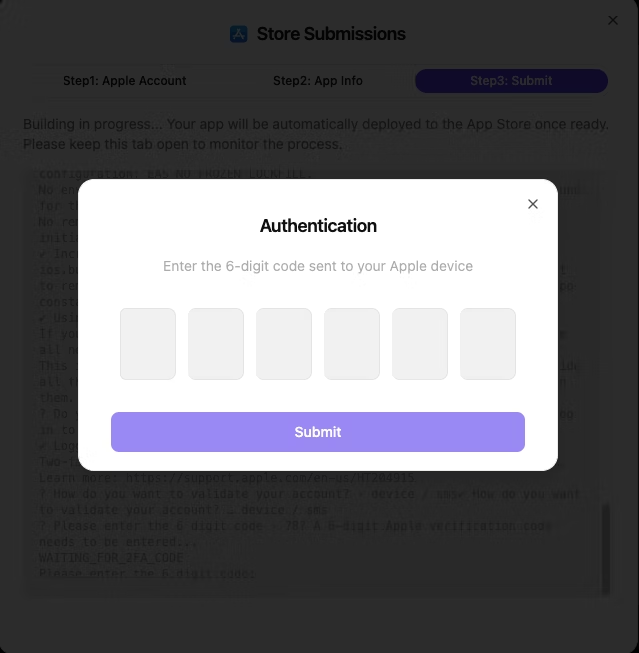
Quick Security Check
Dialog pops up automatically
Check your Apple device for the code
Enter the 6-digit code
Submit and you're done
App Build Complete & Submitted
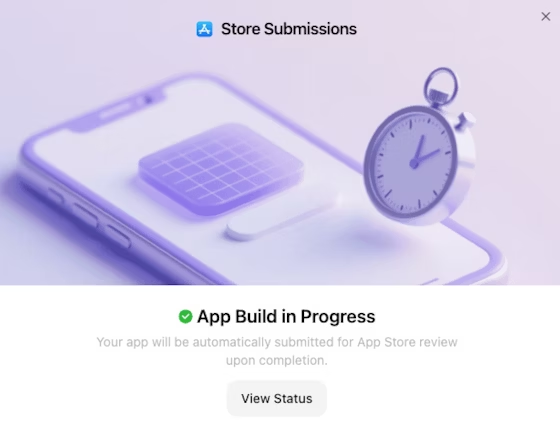
You'll see a confirmation screen with "App Build in Progress". Your app will be automatically submitted for App Store review upon completion. Click "View Status" to track the submission progress. The build process typically completes within a few minutes.
What Happens Next
Auto-submittedYou're done! Click "View Status" to monitor Apple's review process. We'll notify you when your app goes live.
How Does the Store Submissions Dashboard Provide Centralized Management?
The Store Submissions dashboard is your centralized command center that provides real-time status tracking, version control, and multi-app oversight. After submission, this becomes your mission control for all publishing activities:
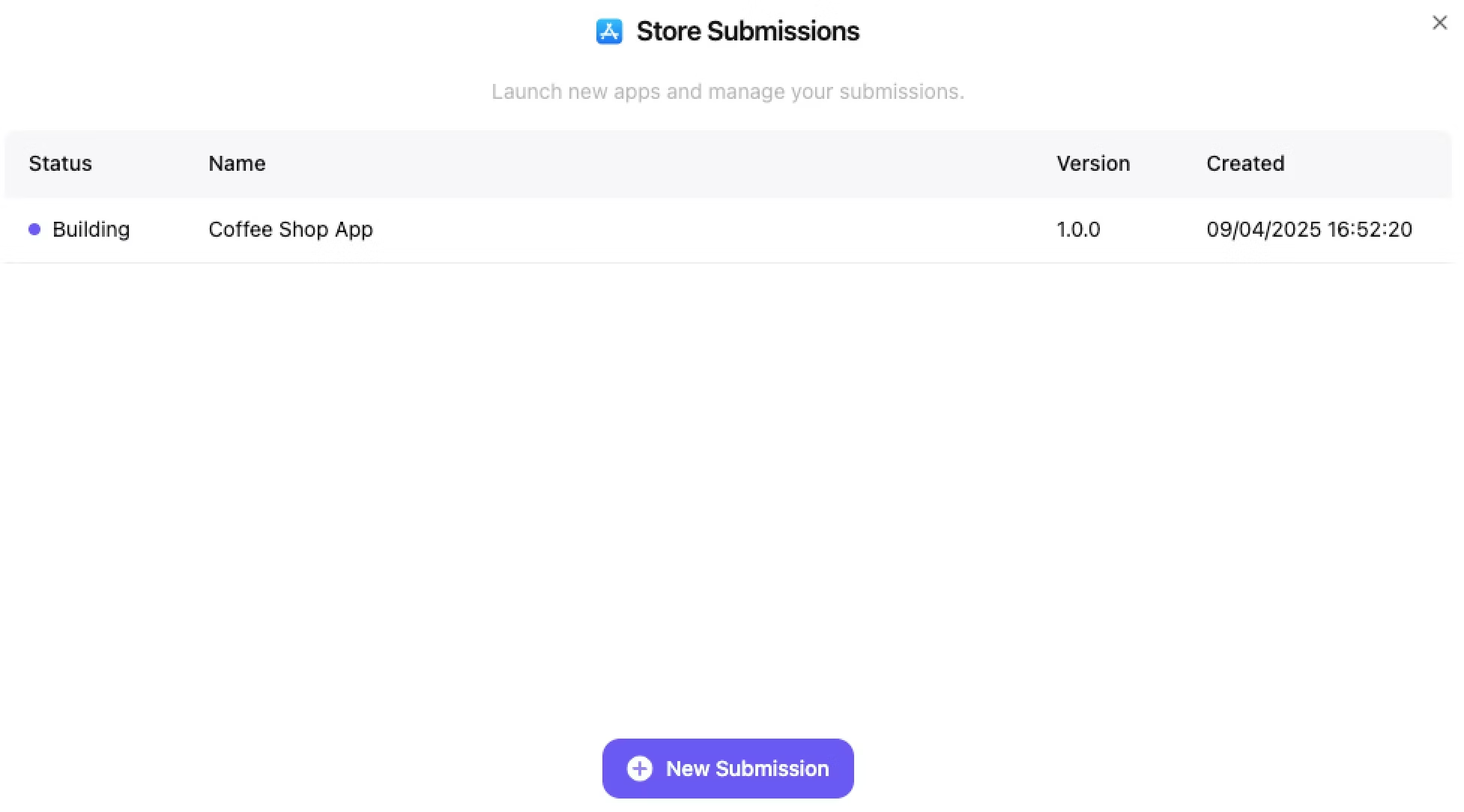
Your Mission Control Center
After submitting your app, you can track all your submissions in the Store Submissions dashboard. This centralized hub allows you to monitor status, track progress, manage versions, and launch new apps.
Dashboard Features
Monitor Status
View real-time status updates for all your app submissions
Track Progress
See which apps are building, under review, or live
Manage Versions
Keep track of different app versions and submission dates
Launch New Apps
Click "New Submission" to publish additional projects
What Do Submission Status Types Mean?
How Much Does OnSpace AI's iOS Publishing Cost Per Submission?
OnSpace AI's iOS publishing costs 1000 credits (approximately $3.33) per app submission with no hidden fees, monthly subscriptions, or setup costs:
App Store Publishing
Complete submission service
(approximately $3.33) • Pricing subject to change
What Are the Most Common Questions About OnSpace AI's iOS Publishing?
Here are direct answers to the most frequently asked questions about OnSpace AI's automated iOS publishing capabilities:
What Are the Three Core Benefits of OnSpace AI's iOS Publishing?
OnSpace AI's automated iOS publishing provides speed, reliability, and security that transform how developers ship iOS apps to production:
Ship Fast, Iterate Faster
No more waiting around for deployments. Get your ideas to users immediately and focus on what actually matters - building great products.
It Just Works
Our automated system eliminates human error. Your app gets built right and submitted properly every single time. No exceptions.
Your Secrets Stay Secret
Bank-level encryption, local-only credential storage, and privacy-first architecture. Your code and credentials never leave your control.
Ready to Experience One-Click iOS Publishing?
Join thousands of developers who stopped wasting time on certificates and started shipping apps that matter.